


Posted on March 3, 2024 by Admin
The 11 Best WordPress News Plugins to Supercharge Your Website
In the fast-paced world of online news consumption, staying ahead of the curve is crucial for any WordPress website owner. Fortunately, there’s a plethora of news plugins available to help you deliver timely and engaging content to your audience. Whether you’re running a personal blog or a professional news outlet, these 10 WordPress news plugins are sure to enhance your website’s functionality and user experience.
1. WP RSS Aggregator

Summary: WP RSS Aggregator is a powerful plugin that allows you to import, merge, and display RSS feeds on your WordPress site.
Key Features:
- Import multiple RSS feeds and display them as individual posts or excerpts.
- Customize feed display with templates and shortcodes.
- Schedule automatic feed updates to keep content fresh.
- Filter and categorize imported content for easy organization.
- Compatible with custom post types and custom fields.
Description: WP RSS Aggregator is the go-to choice for WordPress users who want to curate content from multiple sources. Whether you’re aggregating news articles, blog posts, or podcasts, this plugin makes it easy to display fresh content on your website without manual intervention. With its extensive customization options and seamless integration with WordPress, WP RSS Aggregator offers unparalleled flexibility for content publishers.
Detail Features:
- Customizable templates for feed display.
- Keyword filtering to exclude specific content.
- Import feeds via URL or upload OPML files.
- Compatibility with popular caching plugins for optimal performance.
- Developer-friendly with hooks and filters for extending functionality.
Price: WP RSS Aggregator offers both free and premium versions. The premium plans start at $59 for a single site license with additional features like keyword filtering and enhanced support.
Link: WP RSS Aggregator
Short Expert Review: WP RSS Aggregator is a versatile solution for integrating external content into your WordPress site. Its intuitive interface and robust features make it a must-have plugin for anyone looking to streamline content curation.
Conclusion: With WP RSS Aggregator, you can effortlessly curate and display RSS feeds on your WordPress website, keeping your audience informed and engaged. Whether you’re a blogger, journalist, or content marketer, this plugin empowers you to deliver fresh and relevant content with ease.
2. Newsomatic
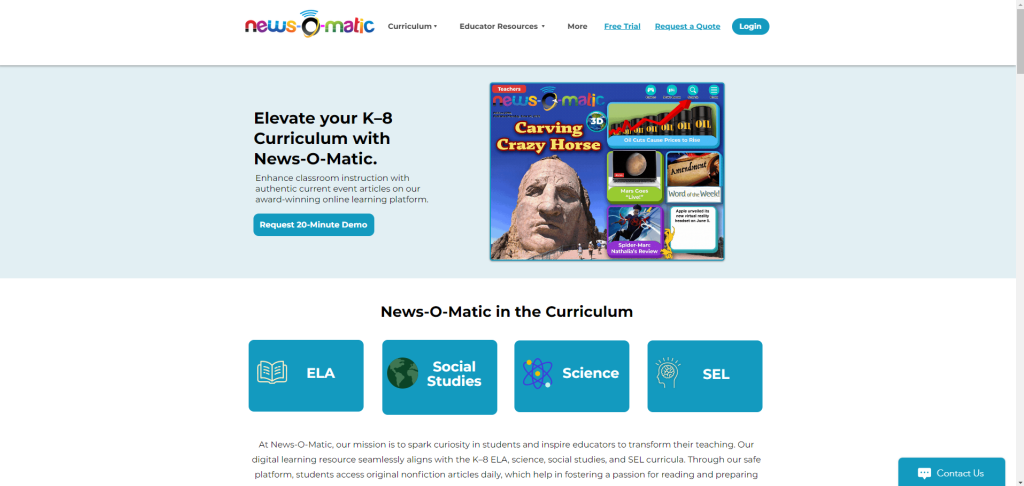
Summary: Newsomatic is an automated news aggregator plugin that fetches content from various sources and creates posts on your WordPress site.
Key Features:
- Import news articles, blog posts, and other content automatically.
- Choose from multiple sources, including RSS feeds, news APIs, and custom sources.
- Set custom filters to refine imported content based on keywords, categories, and more.
- Schedule content updates at regular intervals.
- Automatically add images, videos, and other media to imported posts.
Description: Newsomatic takes the hassle out of content creation by automatically sourcing and publishing news articles on your WordPress site. Whether you’re looking to populate a niche blog or supplement your existing content, this plugin offers a convenient solution for maintaining an up-to-date website. With its advanced customization options and support for various content sources, Newsomatic gives you full control over the type and frequency of content imported to your site.
Detail Features:
- Integration with popular news APIs like NewsAPI.org and Bing News.
- Advanced content spinning options for creating unique posts.
- Support for custom post types and taxonomies.
- Multilingual support for importing content in different languages.
- Detailed logging and reporting of imported content.
Price: Newsomatic offers a range of pricing plans starting from $39 for a single site license. Premium plans include additional features such as unlimited content sources and priority support.
Link: Newsomatic
Short Expert Review: Newsomatic streamlines content creation by automating the process of sourcing and publishing news articles. With its robust feature set and intuitive interface, it’s a valuable tool for website owners looking to enrich their sites with fresh content.
Conclusion: Newsomatic is a game-changer for WordPress users seeking to automate their content creation workflow. By leveraging its powerful features, you can keep your website updated with the latest news and articles, saving time and effort in the process.
3. WP News and Scrolling Widgets
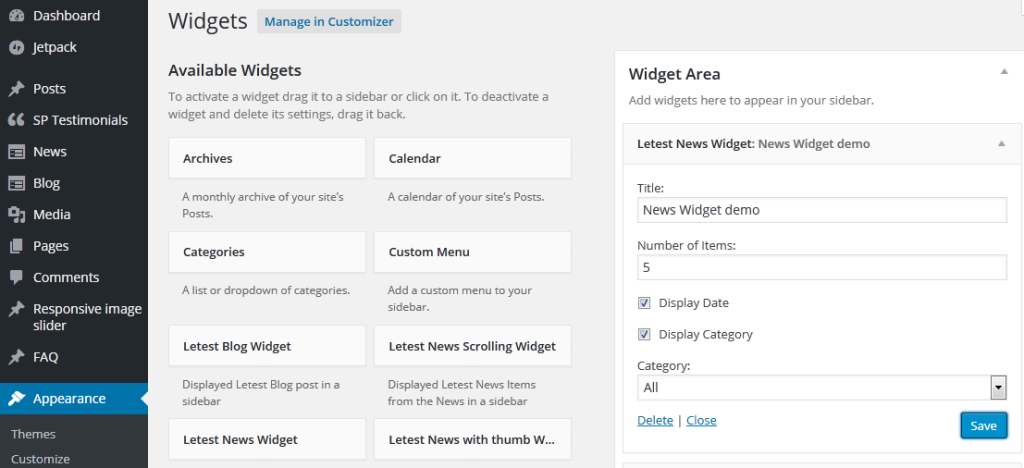
Summary: WP News and Scrolling Widgets is a versatile plugin for displaying news articles and other content in customizable widgets and tickers.
Key Features:
- Create responsive news tickers, sliders, and grids to showcase content.
- Import news articles from RSS feeds or manually add custom content.
- Customize widget styles, colors, and animations to match your website’s design.
- Schedule content updates and set expiration dates for individual posts.
- Support for RTL languages and multi-site networks.
Description: WP News and Scrolling Widgets offer a visually appealing way to present news and updates on your WordPress site. Whether you want to highlight breaking news stories or showcase featured articles, this plugin provides a range of options for displaying content in eye-catching formats. With its intuitive interface and extensive customization capabilities, WP News and Scrolling Widgets empower you to create dynamic news sections that captivate your audience.
Detail Features:
- Multiple layout options, including grid, slider, and ticker.
- Integration with popular page builders like Elementor and WPBakery.
- Option to display post excerpts, thumbnails, or full content.
- Customizable animation effects for scrollable widgets.
- SEO-friendly markup for improved search engine visibility.
Price: WP News and Scrolling Widgets offers a free version with basic features, while the premium version starts at $19 for a single site license. Premium plans include additional layouts, widgets, and premium support.
Link: WP News and Scrolling Widgets
Short Expert Review: WP News and Scrolling Widgets is a versatile plugin that offers a range of options for displaying news content on WordPress sites. Its easy-to-use interface and flexible customization make it a valuable asset for any website owner.
Conclusion: WP News and Scrolling Widgets provide an effective way to showcase news articles and updates on your WordPress site. Whether you’re a blogger, journalist, or business owner, this plugin offers the tools you need to create engaging news sections that keep your audience informed and entertained.
4. Advanced Recent Posts
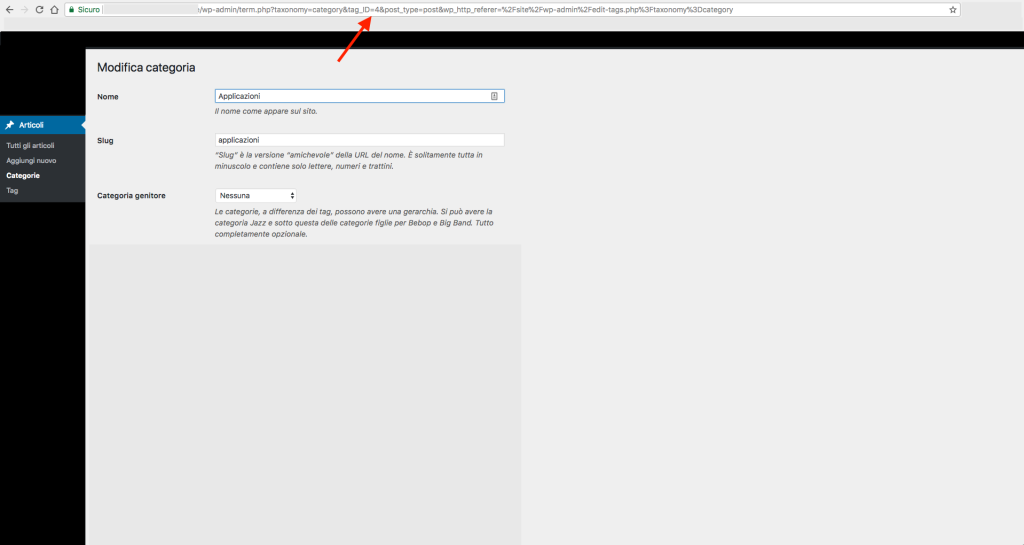
Summary: Advanced Recent Posts is a feature-rich plugin that allows you to display recent posts, news articles, and custom content on your WordPress site.
Key Features:
- Create custom post queries to display specific types of content.
- Filter posts by category, tag, author, or custom taxonomy.
- Customize post layouts and styles using templates and CSS.
- Display posts in widgets, shortcodes, or custom templates.
- Compatible with popular WordPress themes and plugins.
Description: Advanced Recent Posts offers a comprehensive solution for showcasing recent content on your WordPress site. Whether you want to highlight news articles, blog posts, or portfolio items, this plugin gives you full control over how your content is displayed. With its flexible query builder and extensive customization options, Advanced Recent Posts makes it easy to create dynamic content sections that engage your audience and drive traffic to your site.
Detail Features:
- Support for custom post types and post statuses.
- Pagination and lazy loading options for large post archives.
- Customizable date formats and time intervals for post filtering.
- Integration with popular caching plugins for improved performance.
Price: Advanced Recent Posts is available as a free plugin on the WordPress plugin repository. There’s also a premium version starting at $29 for a single site license, offering additional features such as advanced filtering options and priority support.
Link: Advanced Recent Posts
Short Expert Review: Advanced Recent Posts is a robust plugin that empowers WordPress users to showcase recent content with ease. Its flexible query builder and extensive customization options make it a valuable tool for website owners looking to enhance their content presentation.
Conclusion: With Advanced Recent Posts, you can create engaging content sections that keep your audience informed and entertained. Whether you’re running a blog, news site, or online magazine, this plugin offers the flexibility and functionality you need to stand out in the crowded online landscape.
5. CM Curated List Manager
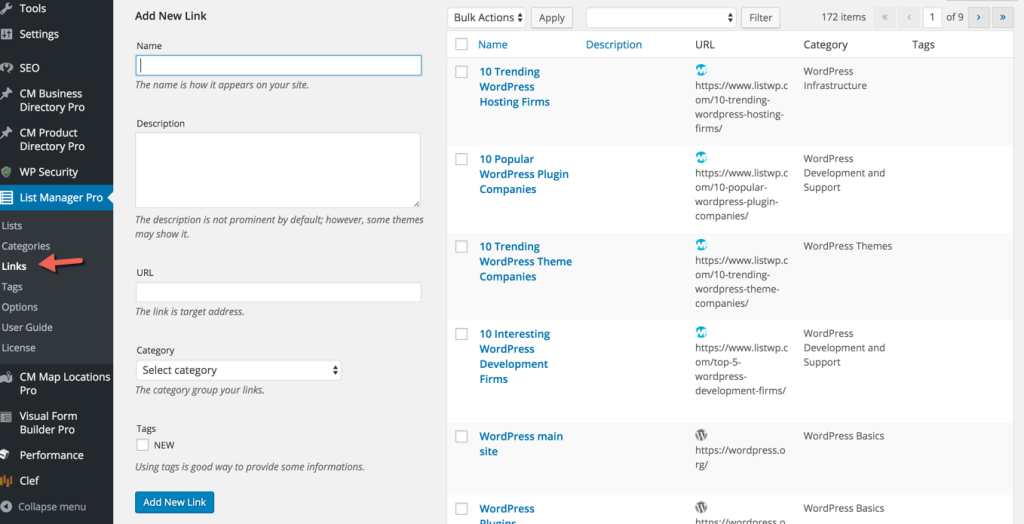
Summary: CM Curated List Manager is a powerful plugin for curating and displaying lists of articles, products, or any custom content on your WordPress site.
Key Features:
- Create curated lists of content from various sources, including WordPress posts, pages, and custom post types.
- Customize list layouts and styles using templates and CSS.
- Add tags, categories, and custom fields to enhance content organization.
- Allow users to submit content suggestions and vote on their favorite items.
- Integration with social media platforms for sharing curated lists.
Description: CM Curated List Manager is an invaluable tool for website owners looking to create curated lists of content. Whether you’re compiling a list of top news articles, recommended products, or featured blog posts, this plugin offers the flexibility and functionality you need to showcase your curated content in style. With its user-friendly interface and extensive customization options, CM Curated List Manager makes it easy to create dynamic lists that engage your audience and drive traffic to your site.
Detail Features:
- Drag-and-drop interface for arranging list items.
- Built-in search and filtering options for easy navigation.
- Option to include custom fields, images, and metadata in list items.
- Integration with popular email marketing services for list building.
- Compatibility with custom taxonomies and hierarchical content structures.
Price: CM Curated List Manager offers a range of pricing plans starting from $39 for a single site license. Premium plans include additional features such as user submissions and content moderation.
Link: CM Curated List Manager
Short Expert Review: CM Curated List Manager is a versatile plugin that simplifies the process of creating and managing curated lists of content. Its intuitive interface and robust features make it a valuable asset for any WordPress website owner.
Conclusion: With CM Curated List Manager, you can create compelling lists of content that engage your audience and drive traffic to your site. Whether you’re a blogger, marketer, or e-commerce store owner, this plugin offers the tools you need to curate and showcase your best content with ease.
6. WP News Plugin
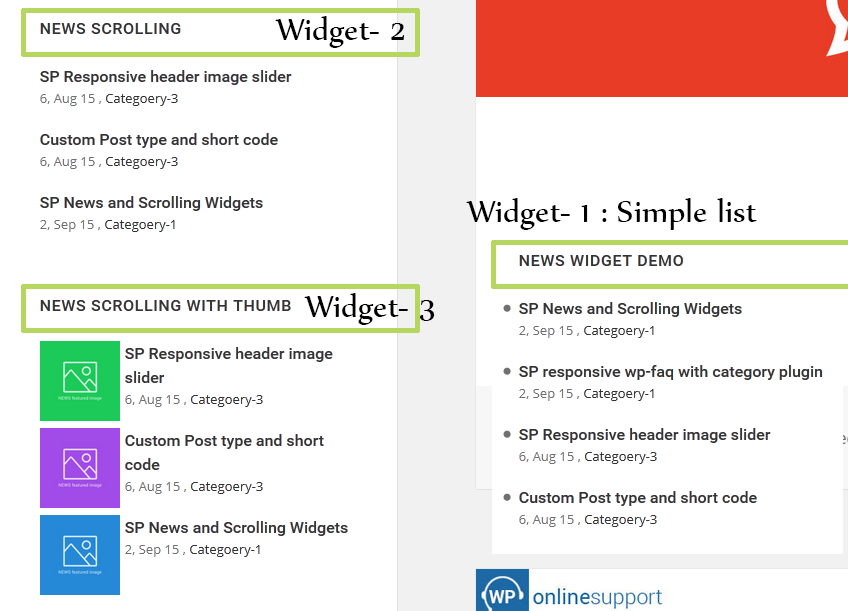
Summary: WP News Plugin is a comprehensive solution for creating news sections, magazine layouts, and content sliders on your WordPress site.
Key Features:
- Create custom news categories and tags for organizing content.
- Display news articles in responsive grids, sliders, or lists.
- Customize layouts, colors, and fonts to match your site’s design.
- Import news articles from RSS feeds or manually add custom content.
- Support for multimedia content including images, videos, and audio.
Description: WP News Plugin offers a user-friendly way to create and manage news sections on your WordPress site. Whether you’re publishing breaking news updates or showcasing featured articles, this plugin provides the tools you need to present your content in a professional and engaging manner. With its intuitive interface and extensive customization options, WP News Plugin empowers you to create dynamic news sections that captivate your audience and keep them coming back for more.
Detail Features:
- Integration with popular page builders like Elementor and Gutenberg.
- Advanced filtering and sorting options for organizing news content.
- Option to display related posts and trending articles.
- SEO-friendly markup for improved search engine visibility.
- Multilingual support for publishing news in multiple languages.
Price: WP News Plugin offers a free version with basic features, while the premium version starts at $29 for a single site license. Premium plans include additional layouts, widgets, and premium support.
Link: WP News Plugin
Short Expert Review: WP News Plugin is a versatile solution for creating and managing news sections on WordPress sites. Its intuitive interface and customizable features make it a valuable asset for website owners looking to enhance their content presentation.
Conclusion: With WP News Plugin, you can create professional-looking news sections that engage your audience and drive traffic to your site. Whether you’re a blogger, journalist, or business owner, this plugin offers the flexibility and functionality you need to succeed in the competitive online landscape.
7. Simple News
Summary: Simple News is a lightweight plugin for displaying news articles and updates on your WordPress site.
Key Features:
- Display news articles in a simple, clean layout.
- Customize colors, fonts, and styles to match your site’s design.
- Import news content from RSS feeds or manually add custom content.
- Support for pagination and lazy loading for large news archives.
- SEO-friendly markup for improved search engine visibility.
Description: Simple News provides a straightforward way to add news sections to your WordPress site without overwhelming your visitors with unnecessary features. Whether you’re publishing local news updates or sharing industry insights, this plugin offers a minimalist approach to content presentation. With its lightweight codebase and simple configuration settings, Simple News is ideal for website owners who prioritize speed and usability.
Detail Features:
- Option to display news articles in widgets, shortcodes, or custom templates.
- Support for custom post types and taxonomies.
- Integration with popular caching plugins for optimal performance.
- Multilingual support for publishing news in different languages.
- Regular updates and active support from the plugin developer.
Price: Simple News is available as a free plugin on the WordPress plugin repository, making it accessible to users with any budget.
Link: Simple News
Short Expert Review: Simple News is an excellent choice for WordPress users looking for a lightweight and easy-to-use news plugin. Its minimalist design and essential features make it a valuable addition to any website.
Conclusion: With Simple News, you can create clean and elegant news sections that deliver content to your audience without unnecessary distractions. Whether you’re a blogger, journalist, or content marketer, this plugin offers a simple yet effective solution for showcasing news articles on your WordPress site.
8. News Announcement Scroll
Summary: News Announcement Scroll is a plugin that adds a scrolling news ticker or announcement bar to your WordPress site.
Key Features:
- Display news headlines, updates, or announcements in a scrolling ticker or static bar.
- Customize ticker styles, colors, and animation effects.
- Add hyperlinks to news items for directing users to relevant content.
- Support for multiple tickers and announcement bars on the same page.
- Option to pause or stop the scrolling ticker on user interaction.
Description: News Announcement Scroll is a handy plugin for highlighting important news updates or announcements on your WordPress site. Whether you want to draw attention to breaking news stories or promote upcoming events, this plugin offers a simple yet effective way to convey information to your audience. With its customizable options and easy setup process, News Announcement Scroll allows you to create eye-catching news tickers and announcement bars that enhance the visibility of your content.
Detail Features:
- Option to control the speed and direction of the scrolling ticker.
- Support for customizing fonts, text sizes, and background colors.
- Responsive design for seamless integration with any WordPress theme.
- Integration with popular page builders like Elementor and WPBakery.
- Compatibility with all modern web browsers for a consistent user experience.
Price: News Announcement Scroll is available as a free plugin on the WordPress plugin repository, making it accessible to users with any budget.
Link: News Announcement Scroll
Short Expert Review: News Announcement Scroll is a straightforward plugin that serves its purpose effectively. It’s an excellent choice for website owners looking to add dynamic news tickers or announcement bars to their WordPress sites without any hassle.
Conclusion: With News Announcement Scroll, you can easily grab your visitors’ attention and convey important news or updates in a visually appealing manner. Whether you’re running a news website, blog, or online store, this plugin offers a simple yet effective solution for showcasing announcements on your WordPress site.
9. WP News Desk
Summary: WP News Desk is a comprehensive plugin for creating and managing news websites, online magazines, and editorial publications on WordPress.
Key Features:
- Build custom news sections with categories, tags, and featured images.
- Import news articles from RSS feeds or manually add custom content.
- Customize layouts, colors, and fonts to match your site’s design.
- Support for multimedia content including images, videos, and galleries.
- Integrated advertising options for monetizing your news website.
Description: WP News Desk is a feature-rich plugin that caters to the needs of news publishers and editorial teams. Whether you’re covering local news stories, political developments, or entertainment gossip, this plugin offers the tools you need to create professional-looking news websites with ease. With its intuitive interface and extensive customization options, WP News Desk empowers you to deliver timely and engaging content to your audience while maintaining full control over your website’s design and functionality.
Detail Features:
- Advanced editorial workflow for managing authors, editors, and contributors.
- Integration with popular social media platforms for sharing news articles.
- Option to display related posts, trending articles, and popular content.
- SEO-friendly markup for improved search engine visibility.
- Regular updates and active support from the plugin developer.
Price: WP News Desk offers a range of pricing plans starting from $49 for a single site license. Premium plans include additional features such as custom widgets, advanced analytics, and priority support.
Link: WP News Desk
Short Expert Review: WP News Desk is a comprehensive solution for building and managing news websites on WordPress. Its robust feature set and intuitive interface make it a valuable asset for news publishers and editorial teams.
Conclusion: With WP News Desk, you can create professional-looking news websites that captivate your audience and drive traffic to your site. Whether you’re a journalist, blogger, or media entrepreneur, this plugin offers the functionality and flexibility you need to succeed in the competitive online landscape.
10. Ditty News Ticker
Summary: Ditty News Ticker is a versatile plugin that allows you to create customizable news tickers, rotators, and scrollers on your WordPress site.
Key Features:
- Create custom news tickers with text, images, or RSS feed items.
- Choose from various ticker styles, including horizontal scroll, fade, and slide.
- Customize ticker animations, speed, and direction.
- Add hyperlinks to news items for directing users to external content.
- Integration with social media platforms for sharing news updates.
Description: Ditty News Ticker offers a range of options for displaying news updates and announcements on your WordPress site. Whether you want to showcase breaking news headlines or promote featured content, this plugin provides the flexibility and functionality you need to create eye-catching news tickers. With its intuitive interface and extensive customization options, Ditty News Ticker empowers you to create dynamic content sections that captivate your audience and drive engagement.
Detail Features:
- Support for importing RSS feeds and displaying feed items in tickers.
- Option to display images, videos, or custom HTML content in tickers.
- Compatibility with custom post types and taxonomies.
- Responsive design for seamless viewing on all devices.
- Detailed documentation and tutorials for easy setup and customization.
Price: Ditty News Ticker offers a free version with basic features, while premium add-ons are available starting at $5 each for additional functionality such as social media integration and advanced styling options.
Link: Ditty News Ticker
Short Expert Review: Ditty News Ticker is a powerful plugin that provides a wide range of options for creating dynamic news tickers on WordPress sites. Its intuitive interface and customizable features make it a valuable asset for website owners looking to enhance their content presentation.
Conclusion: With Ditty News Ticker, you can create eye-catching news tickers that grab your audience’s attention and keep them informed about the latest updates and announcements. Whether you’re a blogger, journalist, or business owner, this plugin offers the tools you need to stand out in the crowded online landscape.
11. WP News and Scrolling Widgets Pro
Summary: WP News and Scrolling Widgets Pro is a premium plugin that offers advanced features for creating news sections, magazine layouts, and content sliders on WordPress sites.
Key Features:
- Create custom news categories and tags for organizing content.
- Display news articles in responsive grids, sliders, or lists.
- Customize layouts, colors, and fonts to match your site’s design.
- Import news articles from RSS feeds or manually add custom content.
- Support for multimedia content including images, videos, and audio.
Description: WP News and Scrolling Widgets Pro build upon the features of the free version, offering additional functionality and customization options for creating professional-looking news sections on WordPress sites. Whether you’re publishing breaking news updates or showcasing featured articles, this plugin provides the tools you need to present your content in a dynamic and engaging manner. With its intuitive interface and extensive customization capabilities, WP News and Scrolling Widgets Pro empower you to create news sections that captivate your audience and drive traffic to your site.
Detail Features:
- Integration with popular page builders like Elementor and Gutenberg.
- Advanced filtering and sorting options for organizing news content.
- Option to display related posts and trending articles.
- SEO-friendly markup for improved search engine visibility.
- Multilingual support for publishing news in multiple languages.
Price: WP News and Scrolling Widgets Pro offers premium plans starting at $29 for a single site license. Premium plans include additional layouts, widgets, and premium support.
Link: WP News and Scrolling Widgets Pro
Short Expert Review: WP News and Scrolling Widgets Pro is a comprehensive solution for creating professional-looking news sections on WordPress sites. Its advanced features and customization options make it a valuable asset for website owners looking to enhance their content presentation.
Conclusion: With WP News and Scrolling Widgets Pro, you can create dynamic news sections that engage your audience and drive traffic to your site. Whether you’re a blogger, journalist, or business owner, this plugin offers the flexibility and functionality you need to succeed in the competitive online landscape.
Conclusion:
In the ever-evolving digital landscape, keeping your audience engaged with fresh and relevant content is paramount. With the plethora of WordPress news plugins available, you have the tools to curate, display, and manage news articles and updates seamlessly on your website. Whether you’re a blogger, journalist, or business owner, these 10 best WordPress news plugins offer a diverse range of features and functionalities to suit your needs.
From automated content aggregation with plugins like WP RSS Aggregator and Newsomatic to customizable news tickers and sliders with WP News Plugin and Ditty News Ticker, there’s a solution for every website owner’s requirements. Whether you prefer simplicity and minimalism or advanced customization and control, these plugins empower you to create compelling news sections that captivate your audience and drive engagement.
Ultimately, the choice of WordPress news plugin depends on your specific needs, preferences, and budget. Whether you opt for a free plugin like Simple News or invest in a premium solution like WP News and Scrolling Widgets Pro, each of these plugins offers unique features and functionalities to enhance your website’s news section. So why wait? Choose the plugin that best suits your requirements and take your WordPress news section to the next level today!
FAQs About WordPress News Plugins:
1. Why should I use a news plugin for my WordPress site?
A: A news plugin can significantly enhance the functionality and appeal of your WordPress site, especially if you regularly publish news articles, blog posts, or updates. These plugins offer features such as content aggregation, customization options, and various display formats to help you engage your audience and keep them informed.
2. Are these plugins suitable for all types of WordPress sites?
A: Yes, the plugins mentioned in the article cater to a wide range of WordPress sites, including blogs, news portals, online magazines, and business websites. Whether you’re a solo blogger or a large media organization, you can find a suitable news plugin to meet your needs.
3. Do I need coding knowledge to use these plugins?
A: Most of the plugins featured in the article are designed to be user-friendly, with intuitive interfaces and no coding required. However, some advanced customization options may require basic knowledge of HTML, CSS, or PHP. Nevertheless, extensive documentation and support are usually provided to assist users in setting up and configuring the plugins.
4. Can I monetize my news site using these plugins?
A: Yes, many of the plugins mentioned offer features that can help you monetize your news site. For example, you can display advertisements alongside news articles, promote sponsored content, or even integrate e-commerce functionality to sell products related to your news niche. Additionally, some plugins support integration with third-party advertising networks and affiliate marketing platforms.
5. How do these plugins affect the performance of my WordPress site?
A: The impact on performance varies depending on factors such as the plugin’s code quality, the number of features enabled, and the overall configuration of your site. Generally, well-coded plugins with efficient caching mechanisms and optimization features should have minimal impact on site performance. However, it’s always advisable to monitor your site’s performance after installing a new plugin and make adjustments as needed.
6. Are there any limitations to using news plugins?
A: While news plugins offer a wide range of features and customization options, they may have certain limitations depending on your specific requirements. For example, some free versions of plugins may have restricted functionality compared to their premium counterparts. Additionally, certain complex customization or integration needs may require custom development work beyond the capabilities of the plugin.
7. Can I integrate these plugins with my social media accounts?
A: Yes, many news plugins offer built-in integration with popular social media platforms, allowing you to automatically share news articles and updates on your social media accounts. This can help you expand your reach, drive traffic to your site, and increase engagement with your audience across different channels.
8. Are these plugins compatible with mobile devices?
A: Yes, most news plugins are designed to be fully responsive, ensuring that your news content looks great and functions well on various devices, including smartphones and tablets. Mobile responsiveness is essential for providing a seamless user experience and reaching audiences who access your site on mobile devices.
9. How frequently should I update the news content on my site?
A: The frequency of content updates depends on your audience’s preferences, the nature of your news site, and your publishing schedule. Generally, it’s recommended to update your news content regularly to keep your audience engaged and informed. You can schedule automatic content updates using many of the plugins mentioned in the article to ensure a steady flow of fresh content on your site.
10. Can I use multiple news plugins on my WordPress site?
A: While it’s technically possible to use multiple news plugins simultaneously, it’s generally not advisable unless you have specific reasons for doing so. Using multiple plugins can lead to conflicts, performance issues, and unnecessary complexity in managing your site. It’s best to choose one or two plugins that meet your needs and integrate them seamlessly into your site’s design and functionality.