


Posted on December 7, 2025 by Admin
Top 10 Essential Map Plugins for WordPress in 2025
Integrating maps into your WordPress website can significantly enhance the user experience, whether for displaying store locations, event venues, or travel itineraries. Selecting the right plugin is essential to meet your unique needs effectively. Below are the top 10 map plugins for WordPress, each detailed with summaries, features, pricing, and reviews to help you choose the best fit.
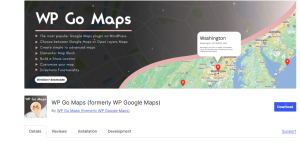
1. WP Google Maps
Summary: WP Google Maps is a great Map Plugins versatile and widely-used plugin for embedding customizable Google Maps into WordPress websites.
Key Features:
- Create unlimited maps.
- Marker support with descriptions and images.
- Responsive and user-friendly interface.
- Supports Google Maps API integration.
Description: With its clean design and customizable options, WP Google Maps allows users to create elegant maps by adding markers, descriptions, and directions. It’s an excellent choice for users looking for a professional mapping solution.
Detailed Features:
- Supports street view and satellite view.
- Customizable marker icons.
- Map widgets and shortcode support.
- Integration with Google Maps Store Locator API.
Pricing: Free version available; premium plans start at $39.99 per year.
Link: WP Google Maps
Short Expert Review: WP Google Maps is an awsome Map Plugins and is an excellent option for beginners and advanced users alike due to its intuitive setup process and robust premium features.
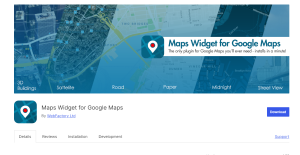
2. Maps Widget for Google Maps
Summary: A lightweight and quick-loading map plugin tailored for embedding static maps.
Key Features:
- Fast-loading map widget.
- Unlimited map customization options.
- Easy setup and embedding.
Description: Maps Widget for Google Maps focuses on speed and simplicity. Instead of relying on live Google Maps, this plugin generates static map images, which reduces load time and improves site performance.
Detailed Features:
- Static maps for faster rendering.
- Optional lightbox functionality.
- Fully responsive design.
- Multiple display settings, including zoom levels and marker styles.
Pricing: Free version available; Pro plans start at $29 per year.
Link: Maps Widget for Google Maps
Short Expert Review: Perfect for sites prioritizing speed, this plugin’s static maps and customization options make it ideal for minimalistic designs.
3. MapPress Maps for WordPress
Summary: A powerful and straightforward mapping tool that integrates Google Maps and Leaflet.
Key Features:
- Easy embedding via Gutenberg blocks or shortcodes.
- Marker clustering for complex maps.
- Compatibility with Google and Leaflet.
Description: MapPress Maps for WordPress strikes a balance between simplicity and functionality, allowing users to add robust maps without extensive configurations.
Detailed Features:
- Add markers with descriptions, links, and images.
- Full-width map support.
- Import/export map settings.
- Integration with custom post types and taxonomies.
Pricing: Free version available; premium plans start at $49.95 per year.
Link: MapPress Maps for WordPress
Short Expert Review: MapPress is a highly versatile plugin catering to all mapping needs, including more advanced requirements like marker clustering.
4. Progress Map
Summary: Ideal for travel and listing websites, Progress Map excels in location-based data visualization.
Key Features:
- Map carousel functionality.
- Extensive marker filtering options.
- Supports custom map styles.
Description: Built for directory and listing websites, Progress Map offers a unique map carousel that pairs perfectly with search or filterable lists.
Detailed Features:
- Advanced geolocation support.
- Auto-synchronization with posts.
- Shortcodes for seamless integration.
- Multiple layouts for maps and carousel views.
Pricing: $59 (lifetime license from CodeCanyon).
Link: Progress Map
Short Expert Review: If you’re building a real estate or travel directory site, Progress Map is the perfect tool to visualize and interact with location data.
5. Google Maps Easy
Summary: A straightforward plugin designed for quickly embedding Google Maps.
Key Features:
- Unlimited maps and markers.
- Drag-and-drop marker positioning.
- No coding required for customization.
Description: Google Maps Easy simplifies map creation with an intuitive interface. It is suitable for beginners who need hassle-free map setups.
Detailed Features:
- Advanced styling options.
- Customizable info-windows.
- Street view and 3D Google Maps support.
- Search and filter capability for multiple markers.
Pricing: Free version available; premium plans start at $39.99 per year.
Link: Google Maps Easy
Short Expert Review: A user-friendly plugin designed for quick map creation, making it perfect for non-technical users.
6. Interactive Geo Maps
Summary: Interactive Geo Maps is an elegant solution for creating interactive and data-rich maps.
Key Features:
- Over 300 country and region maps.
- Tooltip and hover effects.
- Data-driven visualization.
Description: Designed for both static and interactive maps, this plugin works great for showcasing geographical data, creating heatmaps, or highlighting key locations.
Detailed Features:
- Pinpoint animations.
- Custom colors for regions and markers.
- Compatible with Gutenberg and page builders.
- Global data-driven mapping solutions.
Pricing: Free version available; premium plans start at $49 per year.
Link: Interactive Geo Maps
Short Expert Review: Ideal for data visualization and storytelling, this plugin brings interactive and visually rich mapping solutions to WordPress.
7. Advanced Google Maps Plugin
Summary: This feature-packed plugin offers powerful mapping options for businesses, directories, and listing sites.
Key Features:
- Multiple layer support.
- Advanced marker filtering and search.
- Extensive API customization.
Description: The Advanced Google Maps Plugin provides tools for integrating fully customizable Google Maps into WordPress sites, meeting the demands of directory and location-based businesses.
Detailed Features:
- Clustered markers with group details.
- Front-end location submission.
- Multiple overlays and custom layers.
- Extensive import/export capabilities.
Pricing: $59 (one-time payment via CodeCanyon).
Link: Advanced Google Maps Plugin
Short Expert Review: Packed with features, this plugin is the go-to solution for high-traffic sites requiring advanced functionality and integration.
8. Hero Maps Premium
Summary: A stylish and easy-to-use plugin designed to quickly embed fully responsive maps.
Key Features:
- Drag-and-drop map builder.
- Unlimited marker layers.
- Built-in color presets for design consistency.
Description: Hero Maps Premium brings aesthetic and functional mapping capabilities to WordPress users, emphasizing ease of use and design appeal.
Detailed Features:
- Full-screen map layouts.
- Polygon and polyline creation.
- Cross-browser compatibility.
- Real-time preview for designs.
Pricing: $20 (one-time payment via CodeCanyon).
Link: Hero Maps Premium
Short Expert Review: For those seeking beautiful and responsive maps with minimal configuration, Hero Maps Premium is an affordable and efficient choice.
9. Leaflet Maps Marker
Summary: A feature-rich mapping plugin leveraging OpenStreetMap technology.
Key Features:
- Integration with multiple map providers.
- Custom marker clustering and layers.
- Free from Google Maps API limitations.
Description: Leveraging the open-source Leaflet library, this plugin allows users to create maps without Google API dependencies, ensuring flexibility and freedom.
Detailed Features:
- Real-time geolocation display.
- CSV data import/export.
- Polygon/Polyline shapes support.
- Dynamic popups with media embedding.
Pricing: Free version available; Pro license starts at $39.
Link: Leaflet Maps Marker
Short Expert Review: A solid alternative to Google Maps, Leaflet Maps Marker is perfect for privacy-conscious users and projects requiring open-source solutions.
10. WP Store Locator
Summary: A location-focused plugin, ideal for creating store finder solutions.
Key Features:
- Advanced location search with filters.
- Real-time driving directions.
- Extensive customization options.
Description: Built specifically for retailers and franchise owners, WP Store Locator makes it easy to display and manage multiple store locations.
Detailed Features:
- Ajax-powered results.
- Flexible map styling options.
- Compatible with translation plugins.
- CSV location importer for bulk entries.
Pricing: Free version available; add-ons start at $19.
Link: WP Store Locator
Short Expert Review: Tailored for store owners, WP Store Locator is both user-friendly and robust, helping businesses streamline their store locator functionalities.
Conclusion
Selecting the right map plugin for your WordPress site is crucial to optimizing functionality and enhancing user experience. Each plugin on this list has its unique strengths, tailored for different website needs:
- If simplicity and speed are priorities, “Maps Widget for Google Maps” delivers exceptional performance with static maps.
- For advanced customization and robust features, “Advanced Google Maps Plugin” or “Progress Map” are ideal choices.
- Data-driven mapping and interactive designs are best handled by “Interactive Geo Maps” or “Leaflet Maps Marker.”
- Store locator functionalities can be streamlined using “WP Store Locator.”
Pricing, ease of use, and the specific technical requirements of your project should guide your decision. Whether building a personal blog, business site, or interactive data visualization platform, there’s a map plugin perfectly suited to your needs. Investing in the right plugin ensures a seamless and engaging experience for your site visitors.
FAQ About the Article on Map Plugins for WordPress
1. Why is adding a map plugin to my WordPress website important?
Adding a map plugin enhances user experience by providing essential location details, navigation options, and visual representations of geographic data. It can improve user engagement for businesses, events, travel guides, and more.
2. What factors should I consider when choosing a map plugin for WordPress?
Key factors include your technical skills, desired features (e.g., store locators or interactive maps), pricing, compatibility with your theme or other plugins, and performance requirements.
3. Are there free map plugins that provide professional features?
Yes, many map plugins, like WP Google Maps and Interactive Geo Maps, offer free versions with robust features. However, premium versions often provide advanced functionalities such as custom layers, marker clustering, and additional map styles.
4. Which map plugin is best for high-traffic business directories?
“Advanced Google Maps Plugin” and “Progress Map” are excellent for business directories. They support advanced features like multiple map layers, marker clustering, and front-end submission, making them highly scalable and versatile.
5. How can I reduce the load time of maps on my website?
You can use plugins like “Maps Widget for Google Maps,” which create static maps instead of live ones. Other options include optimizing marker usage, employing caching, and leveraging lightweight APIs like Leaflet Maps.
6. Can I use these plugins without knowing how to code?
Absolutely. Most plugins mentioned in the article offer drag-and-drop builders, shortcodes, and intuitive interfaces designed for non-technical users.
7. Is Google Maps the only option available for WordPress map plugins?
No, while Google Maps is popular, alternatives like Leaflet Maps Marker utilize OpenStreetMap, offering privacy-conscious and cost-free solutions free from Google API limitations.
8. Which map plugin is the most budget-friendly?
“Hero Maps Premium” offers great functionality for a one-time payment of $20, making it a cost-effective option. Free versions of plugins like Google Maps Easy also provide excellent value for basic requirements.
9. Can I integrate custom styling with these plugins?
Yes, most plugins allow custom styling options. For instance, “Interactive Geo Maps” and “Advanced Google Maps Plugin” enable custom map colors, layouts, and marker designs.
10. What is the best plugin for creating a store locator?
“WP Store Locator” is tailored for retail businesses and franchise owners, offering features like driving directions, real-time search, and bulk location management.